Introduction
These are the docs for KubeVela Workflow 0.7, the workflow engine in KubeVela 1.11. A WorkflowRun runs the same engine without an Application: see K8S API for Pipeline. To try one, install the vela-workflow controller and follow the Quick Start.
Without a workflow, KubeVela applies every component at once, apart from the order that dependencies set: dependsOn and inputs each hold a component back until what it waits on is ready. A workflow lets you choose the order, wait for approval, branch on conditions and pass data from one step to the next.
A workflow consists of multiple steps, and typical workflow steps include step groups (containing a series of sub-steps), human review, multi-cluster publishing, notifications, etc. You can view all built-in workflow steps provided by default in KubeVela in built-in workflow steps. If the built-in workflow steps don't meet your needs, you can also custom workflow steps.
Workflow consists of steps, you can either use KubeVela's built-in workflow steps like suspend, notification, deploy, step-group etc, or customize your own WorkflowStepDefinition.
In fact, if you only use components in the Application and do not declare a workflow, KubeVela will automatically create a default workflow for deploying the components when running the Application.
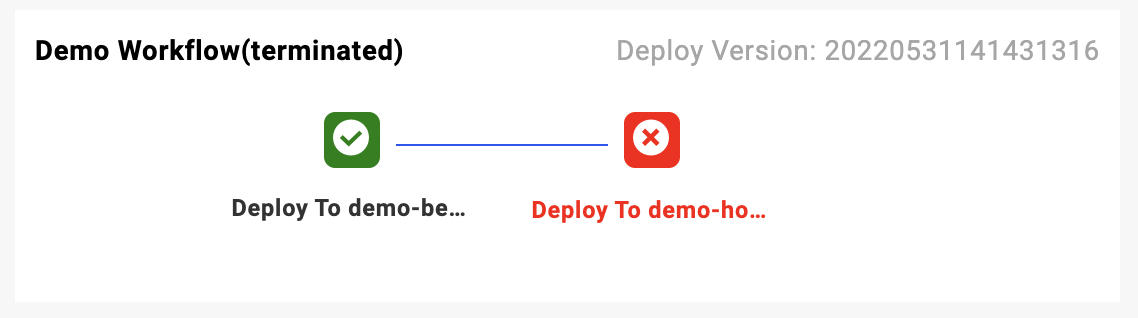
VelaUX shows each step's state; here the first step succeeded and the second failed:
Execution order
In the workflow, all the steps will be executed sequentially and the next step will be executed after the previous one succeeded. If a step is of type step-group, it can contain a series of sub-steps, all of which are executed together when the step group is executed.
In KubeVela 1.5.0+, you can explicitly specify the execution mode of steps, such as:
workflow:
  mode:
    steps: StepByStep
    subSteps: DAG
There're two modes of execution: StepByStep and DAG.
If you do not explicitly declare the execution mode, by default steps are executed sequentially in StepByStep and subSteps are executed in parallel in DAG.
State of Application and Workflow
| Application | Workflow | Description |
|---|---|---|
| runningWorkflow | executing | When the workflow is executing, the status of the application is runningWorkflow |
| workflowSuspending | suspending | When the workflow is suspended, the status of the application is workflowSuspending |
| workflowTerminated | terminated | When the workflow is terminated, the status of the application is workflowTerminated |
| workflowFailed | failed | When a step in the workflow fails and the workflow is completed, the status of the application is workflowFailed |
| running | succeeded | When all steps in the workflow are executed successfully, the status of the application is running |
What you can do with a workflow
| I want to... | Page |
|---|---|
| Wait for approval before carrying on | Suspend and Resume |
| Run steps in parallel, or in a set order | Dependency |
| Group steps together | Sub Steps |
| Run a step only when an earlier one failed, or skip it | If Conditions |
| Pass a value from one step to the next | Data Passing |
| Stop a step that hangs | Timeout of Step |
| Suspend, resume, terminate or restart a running workflow | Workflow Operations |
| Find out why a step failed | Debug Workflow |