Clusters, Targets and Environments in VelaUX
This docs requires you to have velaux installed.
VelaUX deploys an application in three layers:
- A cluster is a Kubernetes cluster joined to KubeVela.
- A delivery target is one namespace in one cluster, plus optional cloud provider details such as region and VPC.
- An environment groups targets. By default, an application deploys to every target in the environments it uses; you can change that in each environment's workflow.
Set them up in that order.
1. Manage clusters
Open the Clusters page. The local cluster is the one the KubeVela control plane runs on. Users with cluster management permissions can add or detach other clusters here, in two ways:
- Connect an existing Kubernetes cluster by providing its KubeConfig.
- Connect an Alibaba Cloud ACK cluster. VelaUX saves the cluster's cloud details (region, VPC, dashboard address), and a target created on it inherits them, so cloud service applications can use them.
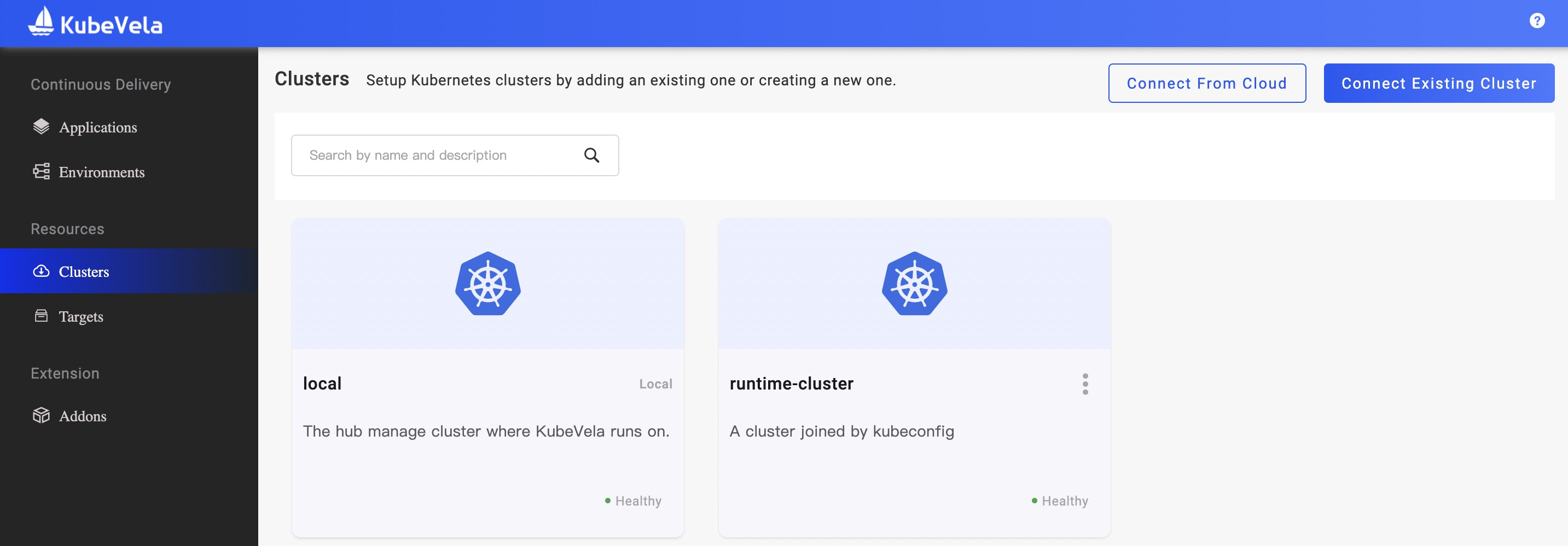
Once a cluster is added, you can edit its description, or disconnect it when no application runs on it.
2. Create delivery targets
Now you can create a target for deploying your applications. A target identifies a specific namespace in one cluster. If the namespace does not exist in the cluster, you can create it by clicking the New button.
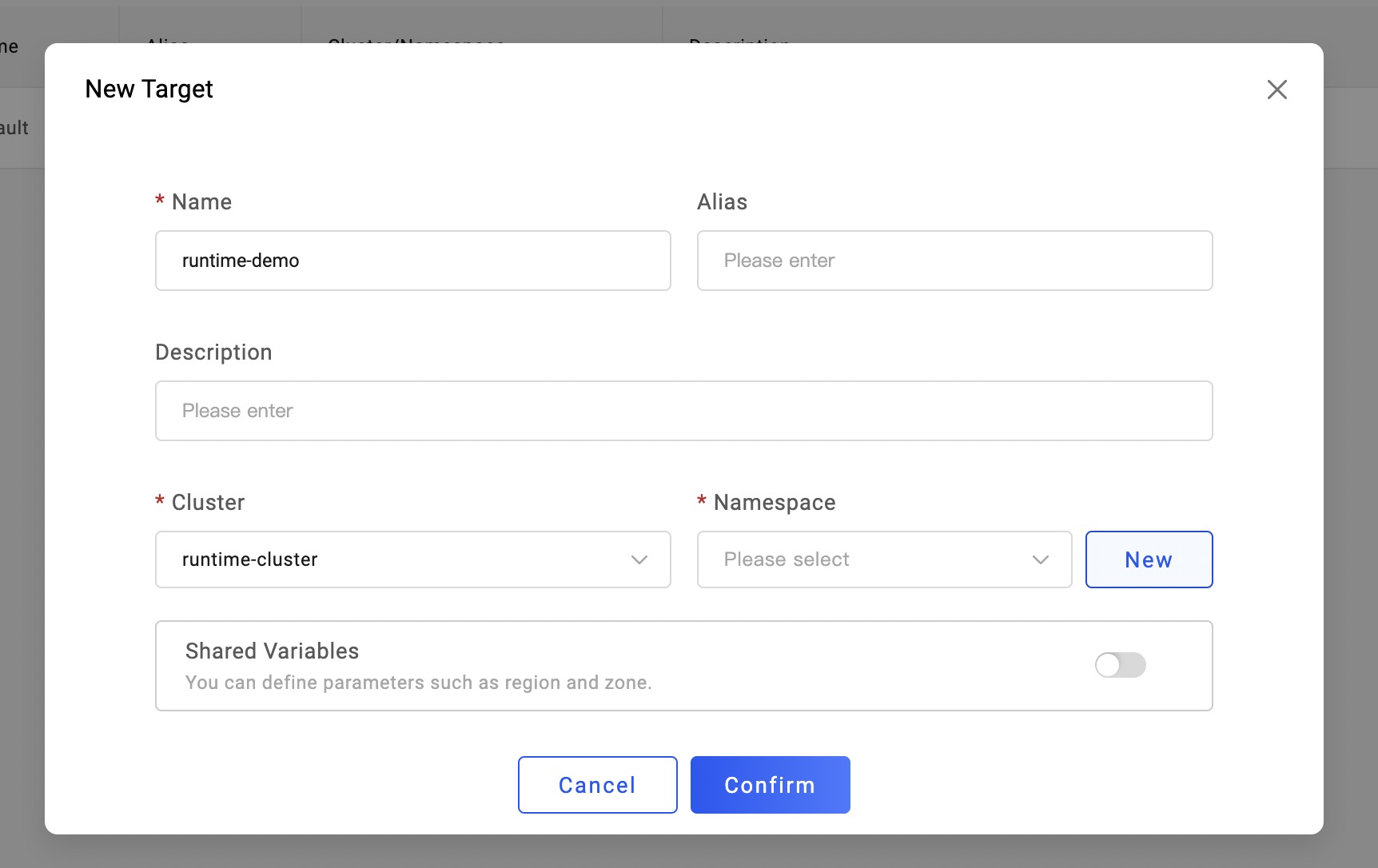
To use cloud resources (such as RDS from Alibaba Cloud), set the target's Shared Variables with the provider name and region. First install the matching Terraform addon and authenticate the provider: see Terraform.
3. Bind targets to an environment
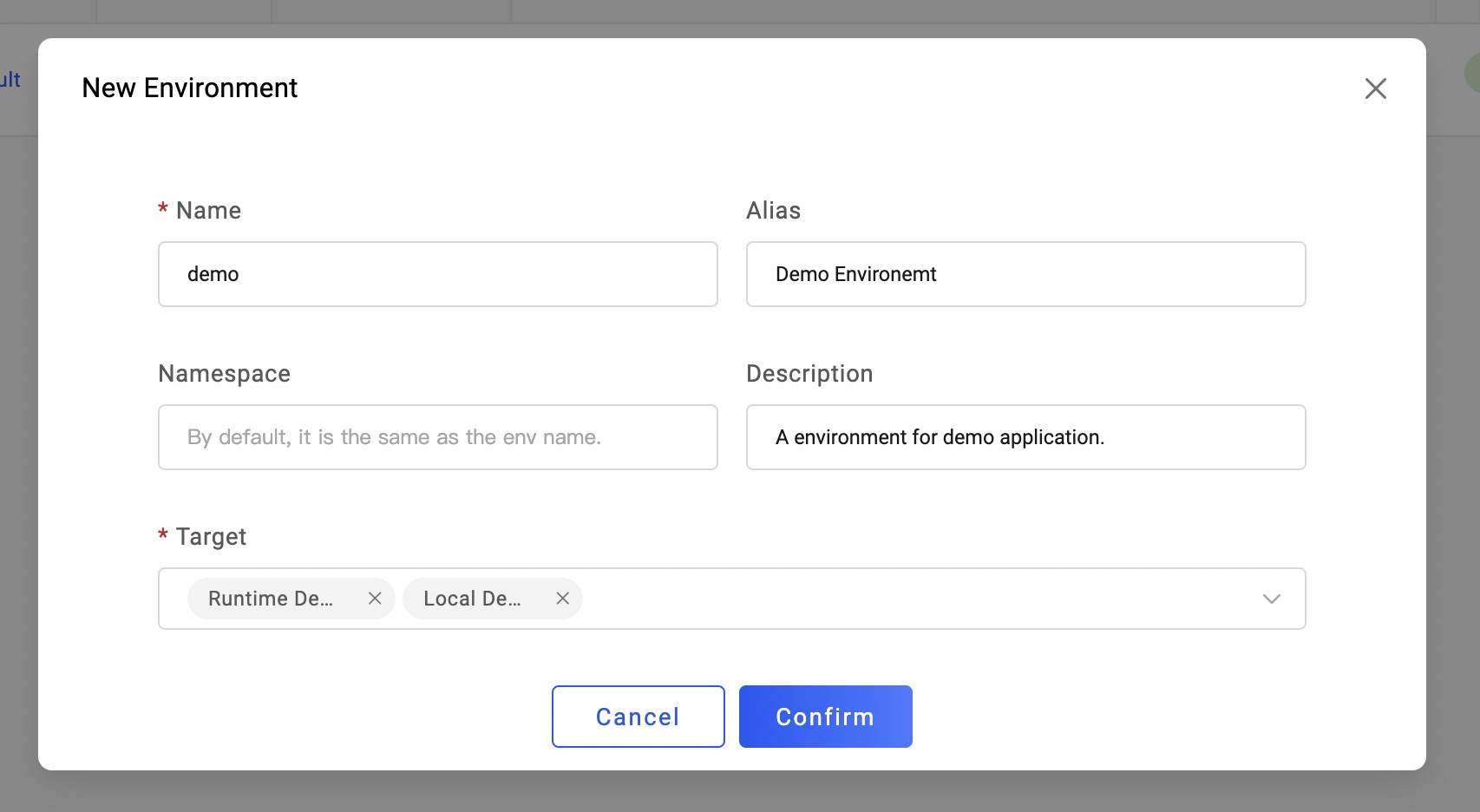
Go to the Environment page and bind the targets you created to an environment.
Then create an application with that environment:
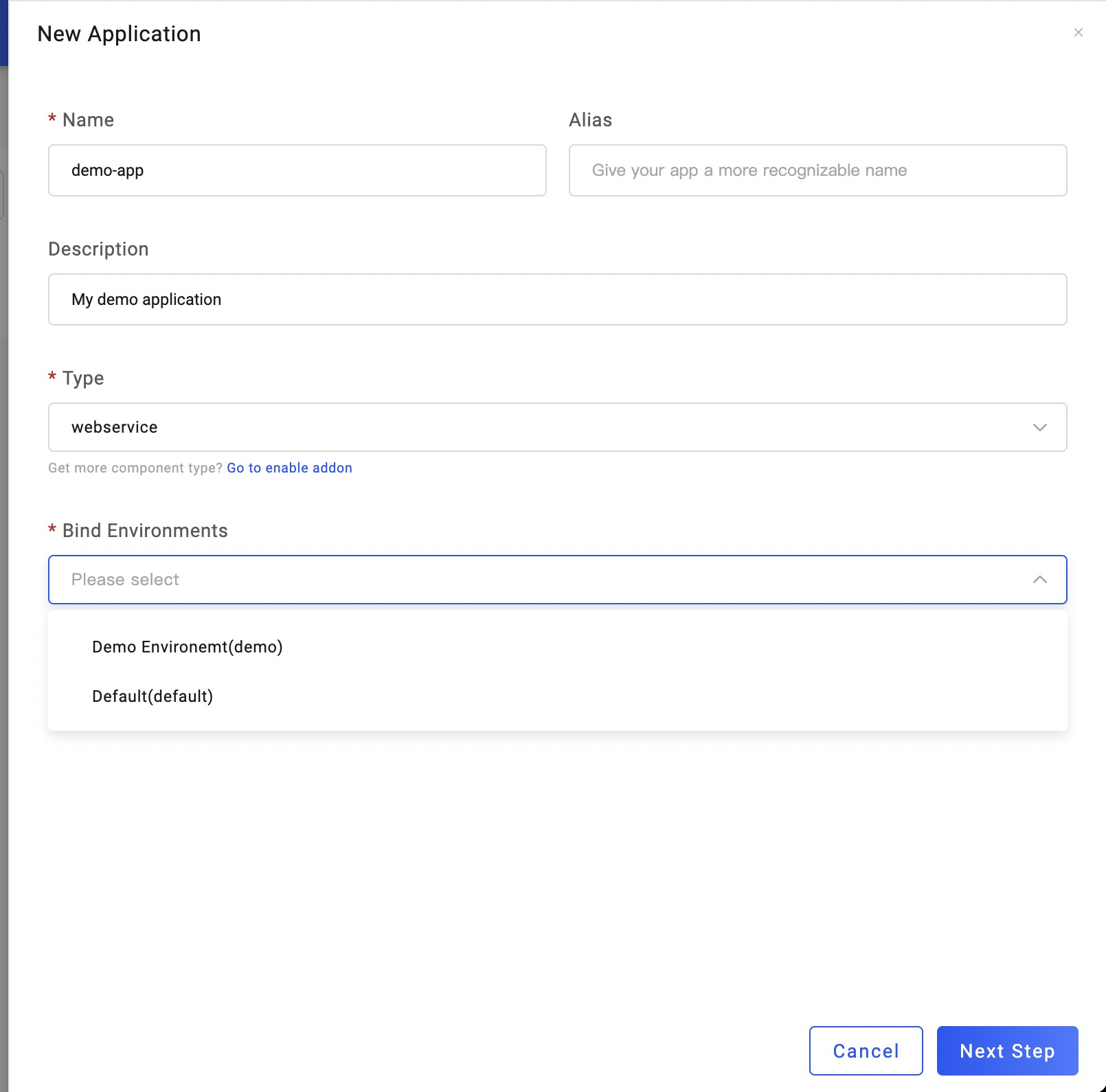
The new application's workflow contains one step per target, here two:
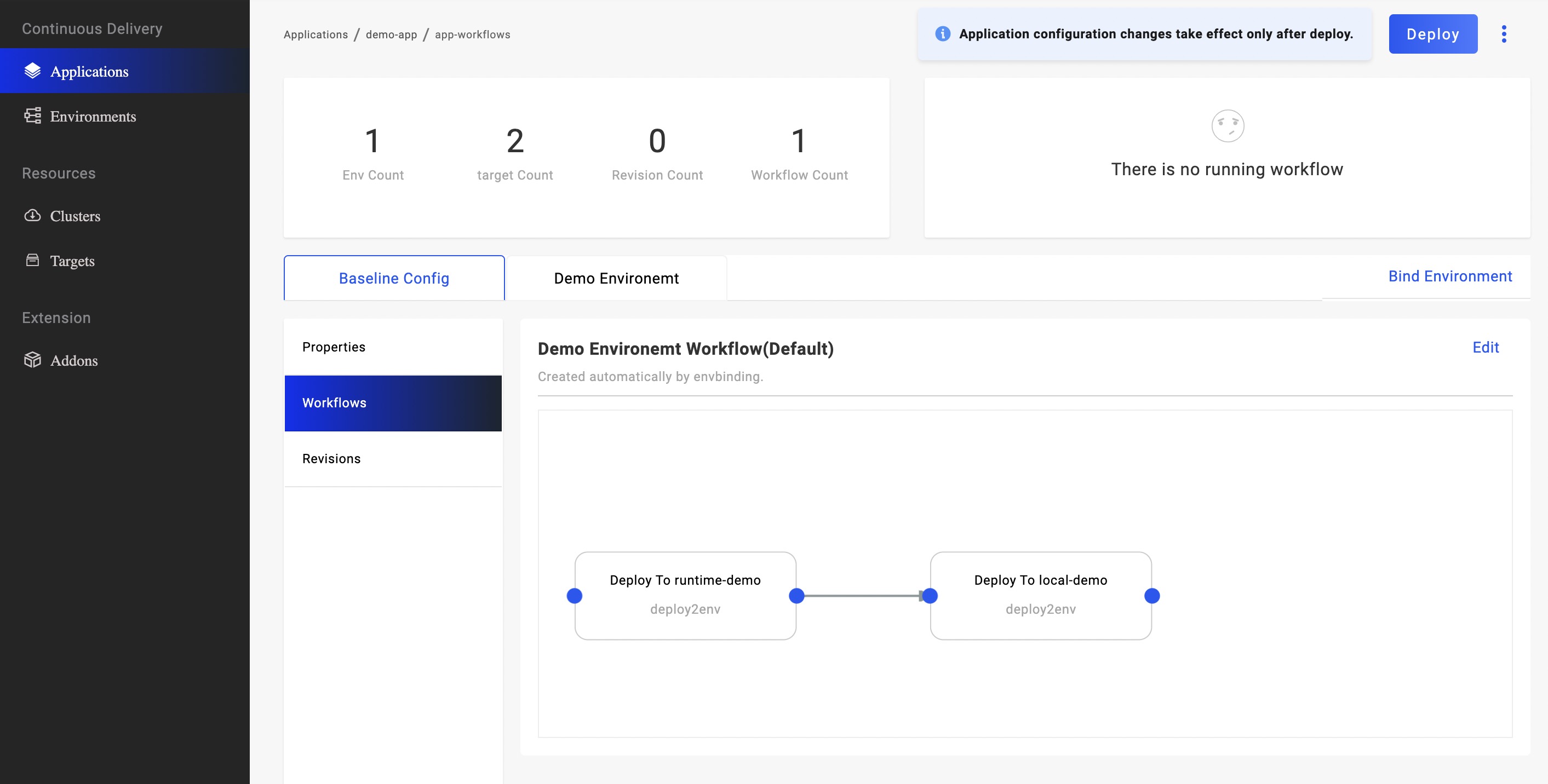
When you deploy the application, its components are dispatched to the namespace of each target, in each target's cluster.