Provision Cloud Resources with Terraform
This guide creates an OSS bucket on Alibaba Cloud from an Application and reads its connection details from a Secret. The same flow works for AWS and Azure resources, with that provider's component type, credentials and properties: check each component's parameters with vela show <type>.
To provision cloud resources with Crossplane instead, see this guide.
Provision Cloud Resources
Prerequisites
- Enable Terraform addon and authenticate the target cloud provider per the instruction.
Let's take Alibaba Cloud as an example.
Familiar with cloud resources specification
All supported Terraform cloud resources can be seen in the list. You can also filter them by
command vela components --label type=terraform.
You can use any of the following ways to check the specification of one cloud resource.
- Using command
vela show <component type name>.
$ vela show alibaba-oss
### Properties
+----------------------------+-------------------------------------------------------------------------+-----------------------------------------------------------+----------+---------+
|            NAME            |                               DESCRIPTION                               |                           TYPE                            | REQUIRED | DEFAULT |
+----------------------------+-------------------------------------------------------------------------+-----------------------------------------------------------+----------+---------+
| acl                        | OSS bucket ACL, supported 'private', 'public-read', 'public-read-write' | string                                                    | false    |         |
| bucket                     | OSS bucket name                                                         | string                                                    | false    |         |
| writeConnectionSecretToRef | The secret which the cloud resource connection will be written to       | [writeConnectionSecretToRef](#writeconnectionsecrettoref) | false    |         |
+----------------------------+-------------------------------------------------------------------------+-----------------------------------------------------------+----------+---------+

...snip...
You can also add flag --web to view the usage by a local browser.
- Reading official docs.
For example, you can check the specification for Alibaba OSS at here.
For different vendors, these parameters update accordingly. All cloud resources have the following common parameters.
writeConnectionSecretToRef:structType, represents the outputs of Terraform will become key/values in the secret with the name specified here.name, specifies the name of the secret.namespace, specifies the namespace of the secret.
providerRef:structType, represents the Provider which is referenced by a cloud service.name, specifies the name of the provider.
deleteResource:boolType, specify whether to delete the corresponding cloud service when the app is deleted. By Default it'strue.customRegion:stringType, specify region for resources, it will override the default region fromproviderRef.
Provision by Creating Application
-
Check whether a provider config exists:
vela config list -t terraform-alibaba. If one is listed, skip to step 3. -
Create one from a properties file that only you can read, so the keys are not saved in your shell history or shown in the process list. Create
alibaba-provider.yamlwith your editor afterumask 077, with these properties:
name: default
ALICLOUD_REGION: <Region>
ALICLOUD_ACCESS_KEY: <Access Key>
ALICLOUD_SECRET_KEY: <Secret Key>
Then create the config from it, and delete the file:
vela config create default -t terraform-alibaba -f alibaba-provider.yaml
rm alibaba-provider.yaml
To see the available config templates:
$ vela config-template list
NAME             	ALIAS                               	SCOPE  	SENSITIVE	CREATED-TIME
helm-repository  	Helm Repository                     	project	false    	2023-08-24 19:21:03 +0800 CST
terraform-alibaba	Terraform Provider for Alibaba Cloud	system 	true     	2023-08-24 19:32:19 +0800 CST
To see the fields a provider config takes:
$ vela config-template show terraform-alibaba

+---------------------+--------+--------------------------------------------------------+----------+---------+---------+
|        NAME         |  TYPE  |                      DESCRIPTION                       | REQUIRED | OPTIONS | DEFAULT |
+---------------------+--------+--------------------------------------------------------+----------+---------+---------+
| ALICLOUD_ACCESS_KEY | string | Get ALICLOUD_ACCESS_KEY per this guide                 | true     |         |         |
|                     |        | https://help.aliyun.com/knowledge_detail/38738.html    |          |         |         |
| ALICLOUD_REGION     | string | Get ALICLOUD_REGION by picking one                     | true     |         |         |
|                     |        | RegionId from Alibaba Cloud region list                |          |         |         |
|                     |        | https://www.alibabacloud.com/help/doc-detail/72379.htm |          |         |         |
| ALICLOUD_SECRET_KEY | string | Get ALICLOUD_SECRET_KEY per this guide                 | true     |         |         |
|                     |        | https://help.aliyun.com/knowledge_detail/38738.html    |          |         |         |
| name                | string | The name of Terraform Provider                         | true     |         |         |
|                     |        | for Alibaba Cloud                                      |          |         |         |
+---------------------+--------+--------------------------------------------------------+----------+---------+---------+
- Save the following Application as
oss.yaml. It provisions an OSS bucket:
apiVersion: core.oam.dev/v1beta1
kind: Application
metadata:
  name: provision-cloud-resource-sample
spec:
  components:
    - name: sample-oss
      type: alibaba-oss
      properties:
        bucket: vela-website-0911
        acl: private
        writeConnectionSecretToRef:
          name: oss-conn
The above alibaba-oss component will create an OSS bucket named vela-website-0911, with private acl, with connection
information stored in a Secret named oss-conn.
Apply it, then check the status:
vela up -f oss.yaml
vela ls
$ vela ls
APP                            	COMPONENT 	TYPE       	TRAITS	PHASE  	HEALTHY	STATUS                                       	CREATED-TIME
provision-cloud-resource-sample	sample-oss	alibaba-oss	      	running	healthy	Cloud resources are deployed and ready to use	2021-09-11 12:55:57 +0800 CST
After the phase becomes running and healthy, you can then check the OSS bucket in Alibaba Cloud console.
The bucket's connection details are in the oss-conn Secret, in the Application's namespace:
kubectl get secret oss-conn -o yaml
Clean up
vela delete provision-cloud-resource-sample
This deletes the bucket, because deleteResource defaults to true. Empty it first: the alibaba-oss module doesn't set force_destroy, so Terraform won't delete a bucket that still holds objects. To keep the bucket, set deleteResource: false on the component and apply it before you delete the Application.
Provision with UI Console
Before starting
-
Enable VelaUX addon.
-
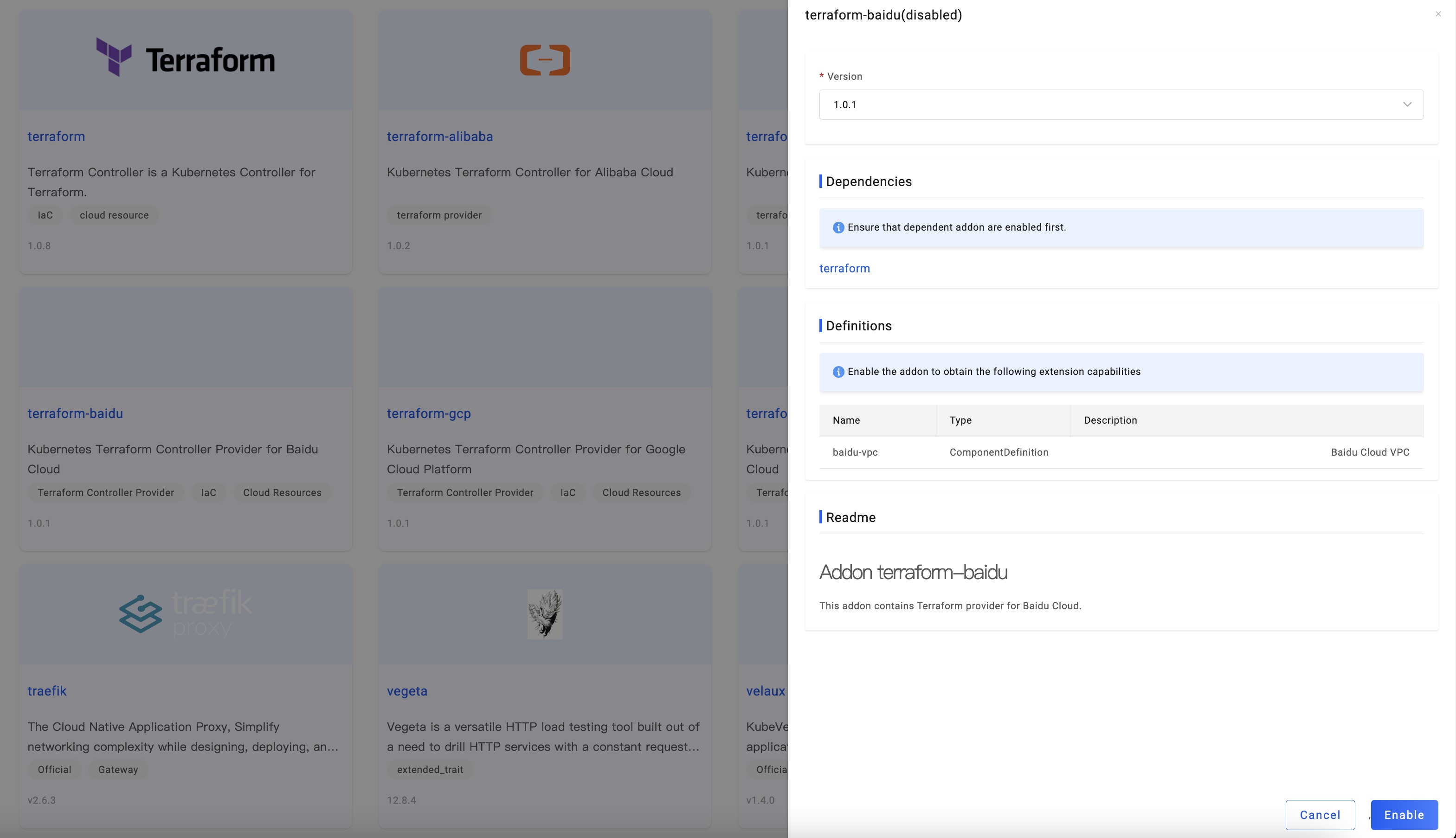
Enable Terraform addon, just like the prerequisites in CLI part above. VelaUX can also enable these addons in UI console.
- Bind the cloud provider to the target. You can do that in
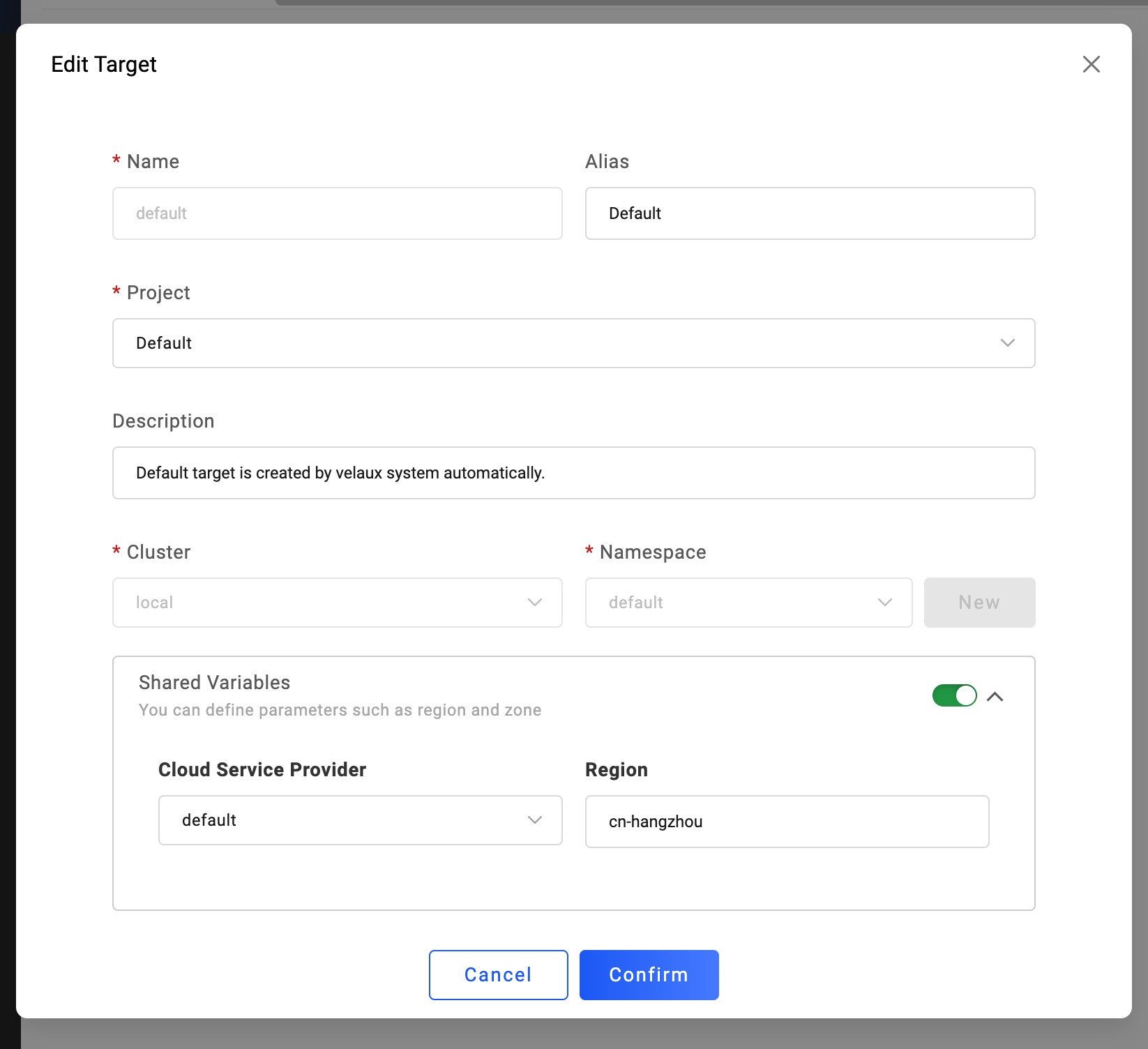
Resources/Targetspage. Edit theShared Variables, select provider you want to bind to this target.
Creating your cloud service
The UI console operations are the same, you can refer to this guide.
Firstly, Create an application and choose the type of your cloud service, they will always has a prefix of vendor such as aws-, azure or alibaba-.
Set the above parameters according to your needs to complete creating the application, and then deploy the application. The resources will be provisioned after the application become ready.
Viewing cloud resource creation status
- Check the cloud instance list
Like other apps, cloud service apps also need to switch to the corresponding environment page to view instance information. By default, there are several targets in an environment, and the cloud service will generate a corresponding number of instances.
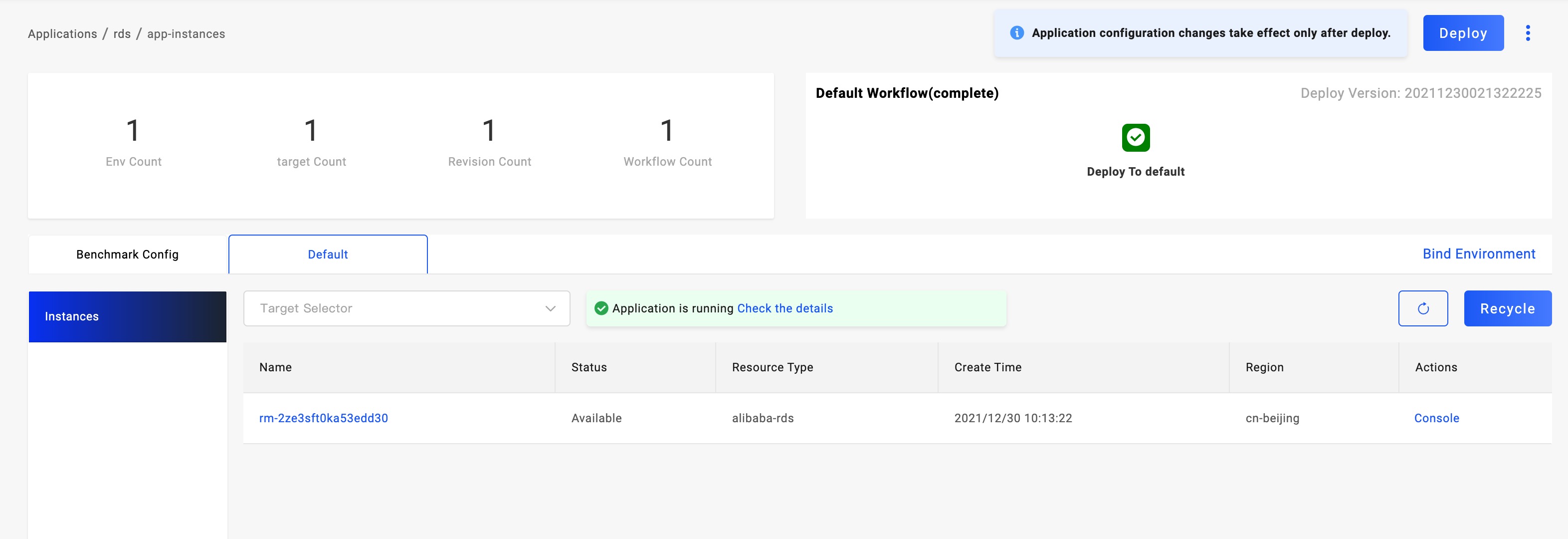
In the instance list, the instance name, status, resource type, and location are displayed. In the beginning, the name is empty, because the cloud service instance generation takes a certain amount of time, and the name will appear when the instance is generated normally.
- View the cloud resource in the console of the cloud provider
You can visit the instance in the console of the cloud provider. For example, you can check the name or console to visit it.

It will redirect to the UI Console of the provider, in our example, resources from Alibaba Cloud will go to https://console.aliyun.com.
- Check details and status of the cloud instance
Click the Check the detail button to view the application details.
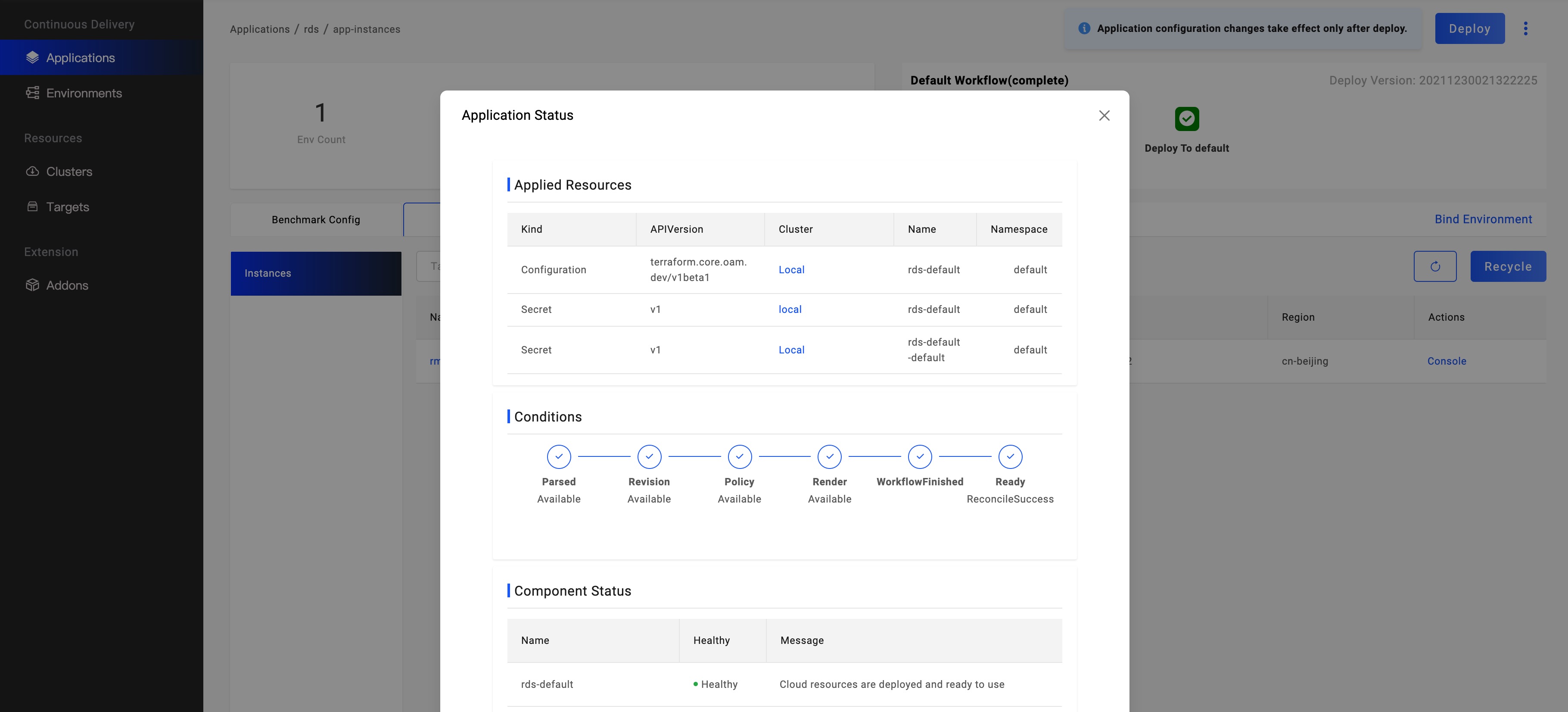
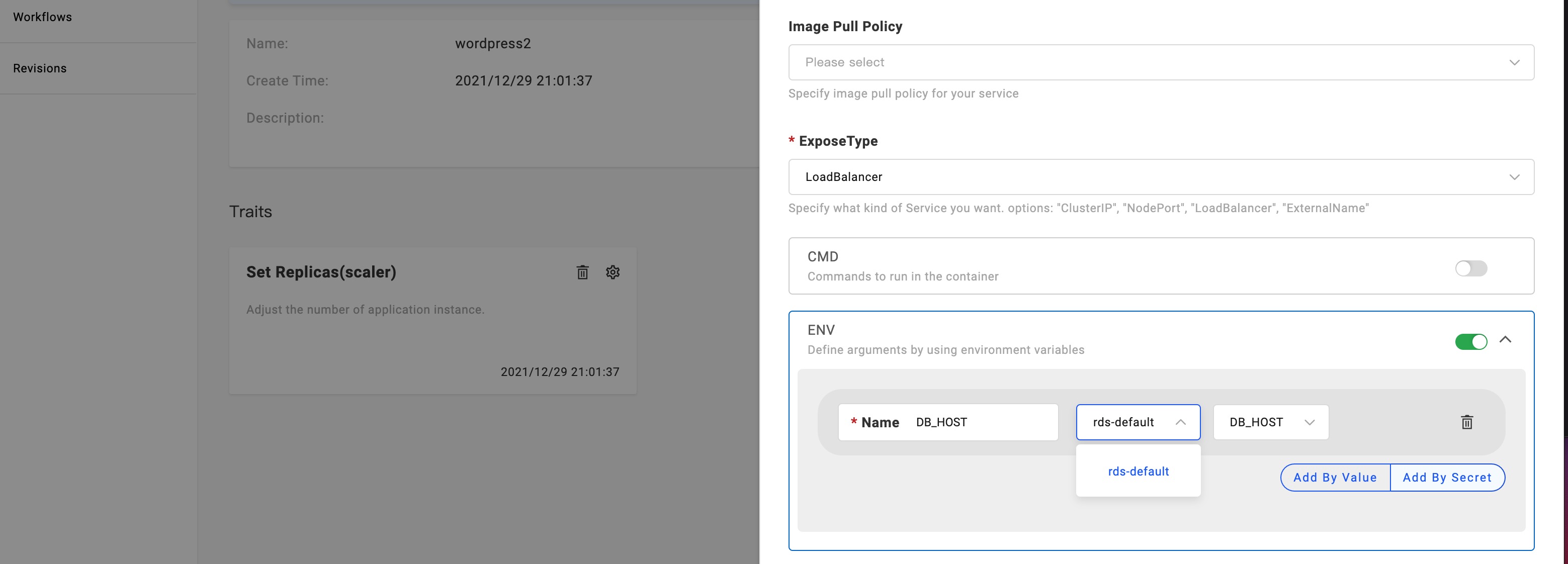
You will find that each instance generates a Secret resource, which generally records the service's access address and key information. Secret resources will be distributed to the cluster and Namespace where the target is located while the control cluster exists. Therefore, other applications in the same environment can directly use the resource in the environment variable to obtain the access address and key.
In the last section Component Status, the health status and the message of the cloud service instance is displayed.
FAQ
- The cloud service is always ProvisioningAndChecking and has no name
The creation of cloud services generally takes a certain amount of time. Please wait or enter the cloud vendor console to view the creation progress.
More
For more usages of cloud resources, like how to provision and consume cloud resources, see the database guides, starting with Provision and Binding Database.